
• New
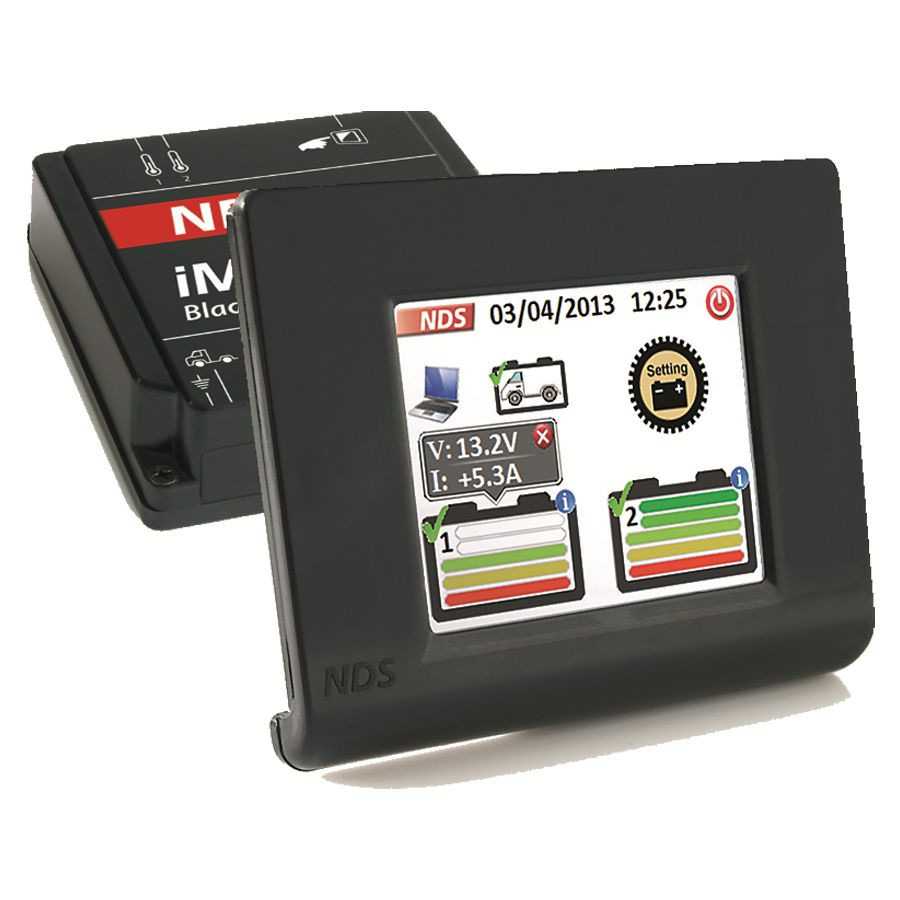
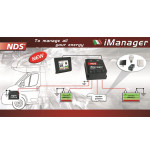
NDS Imanager with touchscreen (wireless data)

NDS Imanager with touchscreen (wireless data)

€349.00
VAT included
NDS Imanager im 12-150w with wireless touchscreen
Quantity

  Beveiligingsbeleid

(bewerken met de module Klantenverzekering)

  Leveringsbeleid

(bewerken met de module Klantenverzekering)

  Retourbeleid

(bewerken met de module Klantenverzekering)

Battery management system with touchscreen

NDS Imanager IM12-150W is a smart system to manage the energy capacity in your motorhome, boat or caravan. It is based on SMART technology, so that you will safely remove the maximum from the batteries. The biggest advantage is that you can combine different types of batteries from various brands or current strengths, without them discharging itself. Imanager chooses the correct loading curve for each battery.

Note: The touchscreen communicates wirelessly with the BlackBox. For the power supply, the touchscreen must be connected to 12 V (wired).

2 Manage service batteries or more

With Imanager, accumulators no longer have to be paired in parallel. This management system is especially interesting if you have 2 or more service batteries on board (or want). The benefits are:

  • Batteries last longer
  • Batteries will no longer be defective (you can only replace 1 battery for a defect)
  • Brand, type (Gel / AGM), current and age of batteries not be the same
  • Alerts about accumulation management and maintenance
  • Wireless touchscreen

Charging and discharging

Imanager IM12-150W monitors the tension of max. 3 batteries at the same time. The system itself chooses the battery to be used and takes charge and discharge flows into account. Also ensures NDS Imanager for equal load levels, so that the batteries provide continuous current.

Wireless touchscreen to manage batteries

With the touchscreen of the Imanager IM12-150W you manage up to 3 batteries at the same time. The life of the batteries is maximized by the automatic switch-off function. With Imanager you get the most out of your batteries. On the screen you will see the charge level, loading and discharging voltage and you can also manually switch batteries on or off.

Automatic switch-off for batteries

Imanager is protected with an automatic battery switching to extend the life of the batteries. A battery is automatically disabled at:

  • Lower voltage than 10.5 V
  • A voltage under 11 V longer than 15 minutes
  • Operating temperature higher than 70 ° C

Special output for the start battery

NDS Has the Imanager equipped with a special start battery output. As soon as he recognizes a charger or solar panel on the service batteries that are 100% charged, it supplies the start battery 4 A. Via Imanager you also have sufficient power after a long stop.

Technical data NDS Imanager IM12-150W

Blackbox
  • Consumption at active battery: 22 mA
  • Consumption with disconnected battery: 4.2 mA
  • MODE: manual and automatic
  • Max. Stucco relay: 100 A + 100 A
  • Work voltage: 12 V
  • Working temperature: -15 ° C to +65 ° C
  • Diaphrecking threshold: voltage 10.5 V, temperature 70 ° C
Touchscreen
  • Consumption with max. Brightness: 86 mA
  • Consumption with display from: 34 mA
  • Consumption with not active: 5.2 mA
  • Display type: TFT 2.83 "- 262K Touch
  • Working temperature: -10 ° C to + 70 ° C
NDS
ART.120420W
2 Items

Specific References

MPN
IM 12-150w
THEME OPTIONS

Panel Tool

Full Width Boxed Large
Yes No
Font Base
Font Heading
Font Slider
Font Senary
Font Septenary
Color Default
Headings Color
Link Color
Link Hover Color
Text Color
Price Color
Button Background
Button Hover Background
Button Color
Button Hover Color
Product Background
Product Name Color
Product Name Hover Color
Product Price Color
Product Regular Price Color
Product Button Background
Product Button Hover Background
Product Button Color
Product Button Hover Color
On Sale Badge Background
On Sale Badge Color
New Badge Background
New Badge Color
Sale Badge Background
Sale Badge Color
Online Only Background
Online Only Color
Pack Badge Background
Pack Badge Color
Block Background
Block Inner Background
Block Heading Background
Block Heading Color